Legal Pages
The Legal Pages module allows you to create and manage legal documents for your platform, such as Privacy Policy, Terms of Service, and other legal notices. These pages are automatically added to your website's menu and are essential for compliance.
Accessing Legal Pages
- Log in to the admin panel at
https://your-domain/admin - Click Legal Pages in the sidebar under "Prediction Areas"
- You will land on the Legal Pages list
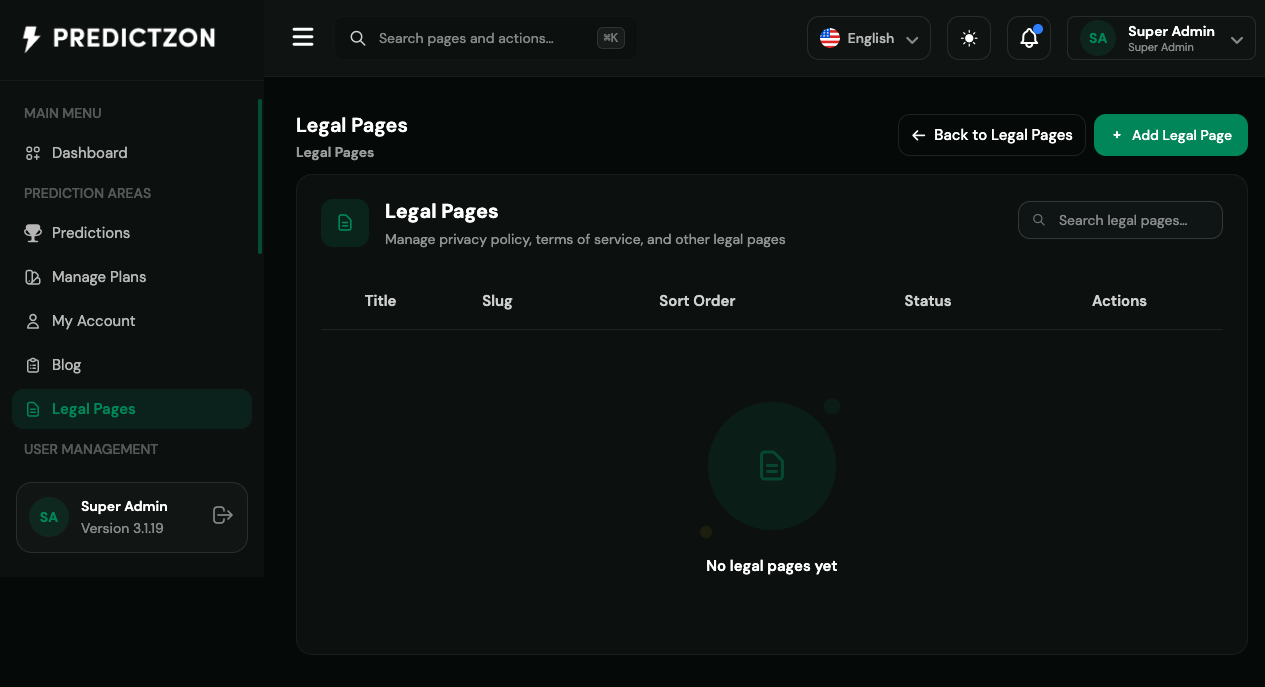
Legal Pages Overview
The Legal Pages list displays all created legal documents with the following columns:
| Column | Description |
|---|---|
| Title | Page title (e.g., "Privacy Policy") |
| Slug | URL path (e.g., "privacy-policy") |
| Status | Active or Inactive |
| Sort | Display order in menu |
| Actions | Edit and Delete buttons |
Creating a Legal Page
- Click the Create Legal Page button
- Fill in the page details:
Page Information
| Field | Description |
|---|---|
| Title | Page title (required) |
| Slug | URL-friendly identifier (auto-generated from title) |
| Content | Full page content with rich text editing (required) |
| Sort Order | Display position in menu (higher = appears first) |
| Is Active | Whether page is visible on frontend |
SEO Settings
| Field | Description |
|---|---|
| Meta Title | Custom title for search engines |
| Meta Description | Custom description for search engines |
- Click Save to create the page
Editing a Legal Page
- Click the Edit button on the page row
- Modify the content as needed
- Click Save to update
Note: When you update a legal page's slug, the system automatically updates the menu entry on your active theme.
Deleting a Legal Page
- Click the Delete button on the page row
- Confirm the deletion
Warning: Deleting a legal page also removes it from your website's menu.
Automatic Menu Integration
When you create or update a legal page, the system automatically:
- Creates a menu entry in your active theme
- Positions it in the "bottom" section of the menu
- Sets the menu label to the page title
- Configures breadcrumb navigation
If you change a page's slug, the old menu entry is removed and a new one is created with the updated slug.
Common Legal Pages
Here are the legal pages most platforms need:
| Page | Purpose |
|---|---|
| Privacy Policy | How user data is collected, used, and protected |
| Terms of Service | Rules and agreements for using the platform |
| Cookie Policy | Information about cookie usage |
| Refund Policy | Conditions for refunds and cancellations |
| Acceptable Use Policy | Rules for acceptable platform usage |
Content Tips
- Be clear and concise — Use plain language, avoid legal jargon
- Cover all bases — Address data collection, user rights, and liability
- Keep it updated — Review and update legal pages regularly
- Make it accessible — Use headings and bullet points for readability
- Include contact information — Provide a way for users to ask questions
Best Practices
- Create pages before launch — Ensure legal compliance from day one
- Use proper slugs — Keep slugs short and descriptive
- Set appropriate sort order — Order pages logically in the menu
- Test on frontend — Verify pages display correctly after creation
- Review regularly — Update legal content as your platform evolves
Related Pages
- Blog — Publish news and updates
- Theme Management — Customize how legal pages appear on frontend
- General Settings — Configure site-wide settings