Plans & Subscriptions
The Plans page displays all available subscription plans. Browse plan features, compare tiers, and subscribe to unlock premium predictions and features.
Accessing Plans
- Log in to your account
- Click Plans in the sidebar
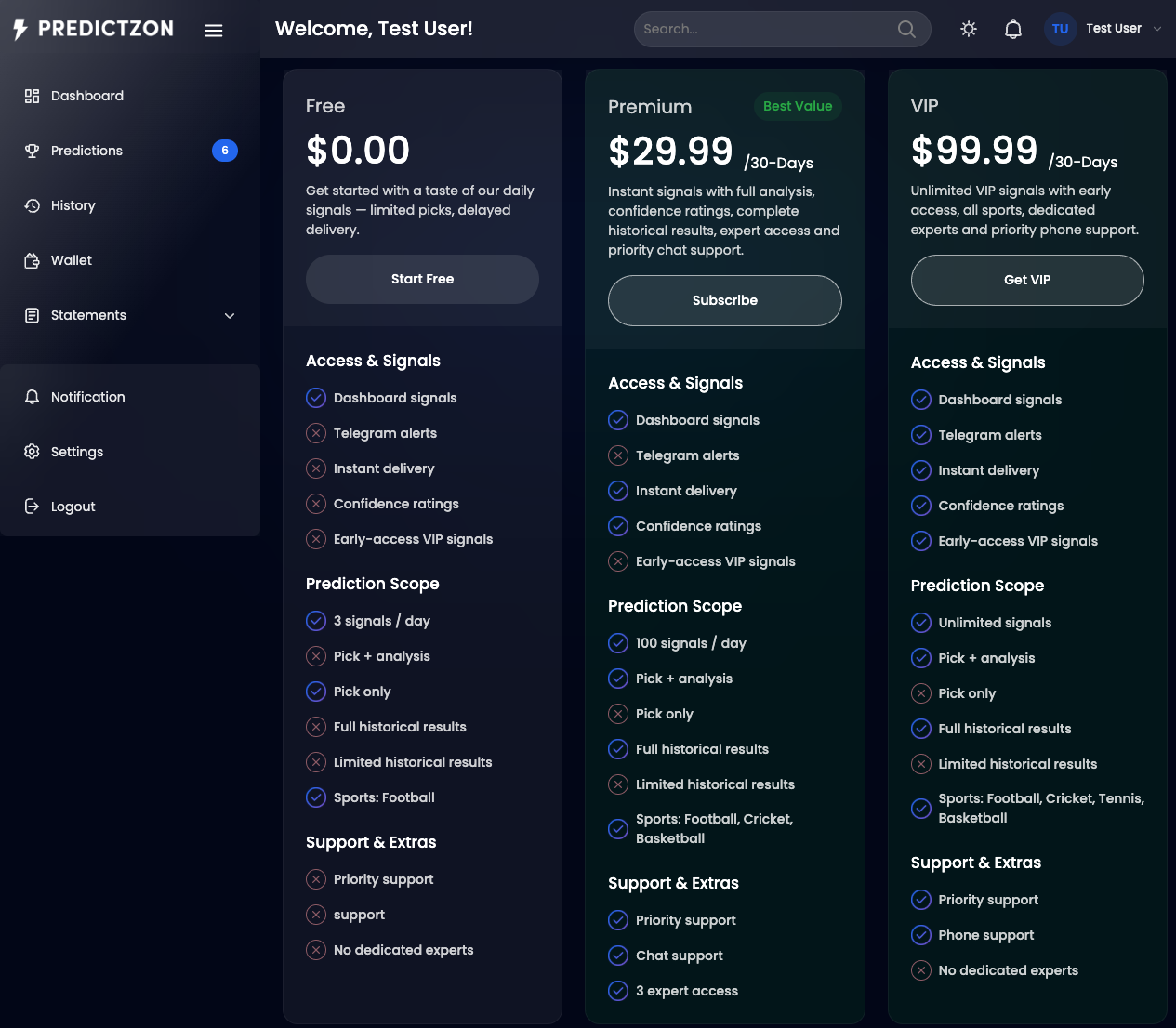
Plan Cards
Each plan is displayed as a card showing:
| Field | Description |
|---|---|
| Plan Name | Free, Premium, VIP, etc. |
| Price | Subscription price with billing period (e.g., "$29.99 /30-Days") |
| Description | Brief plan description |
| Badge | Featured plan indicator (e.g., "Best Value") |
| CTA Button | "Start Free", "Subscribe", "Get VIP", or "Current Plan" |
Plan Features
Each plan card lists features in three groups:
Access & Signals
| Feature | Description |
|---|---|
| Dashboard signals | View predictions on the dashboard |
| Telegram alerts | Receive predictions via Telegram |
| Instant delivery | Get predictions in real-time |
| Confidence ratings | See confidence percentages |
| Early-access VIP signals | Get signals before other tiers |
Prediction Scope
| Feature | Description |
|---|---|
| Signals per day | Number of predictions available daily |
| Pick + analysis | Full prediction with expert analysis |
| Pick only | Prediction without analysis |
| Historical results | Full or limited access to past results |
| Sports included | Which sports are covered |
Support & Extras
| Feature | Description |
|---|---|
| Priority support | Faster support response |
| Support channel | Chat, email, or phone |
| Expert access | Number of dedicated tipsters |
Subscribing to a Plan
Free Plans
- Click Start Free on the Free plan card
- Confirm the subscription
- Your plan is activated immediately
Paid Plans
- Click Subscribe or Get VIP on the plan card
- You will see the checkout page
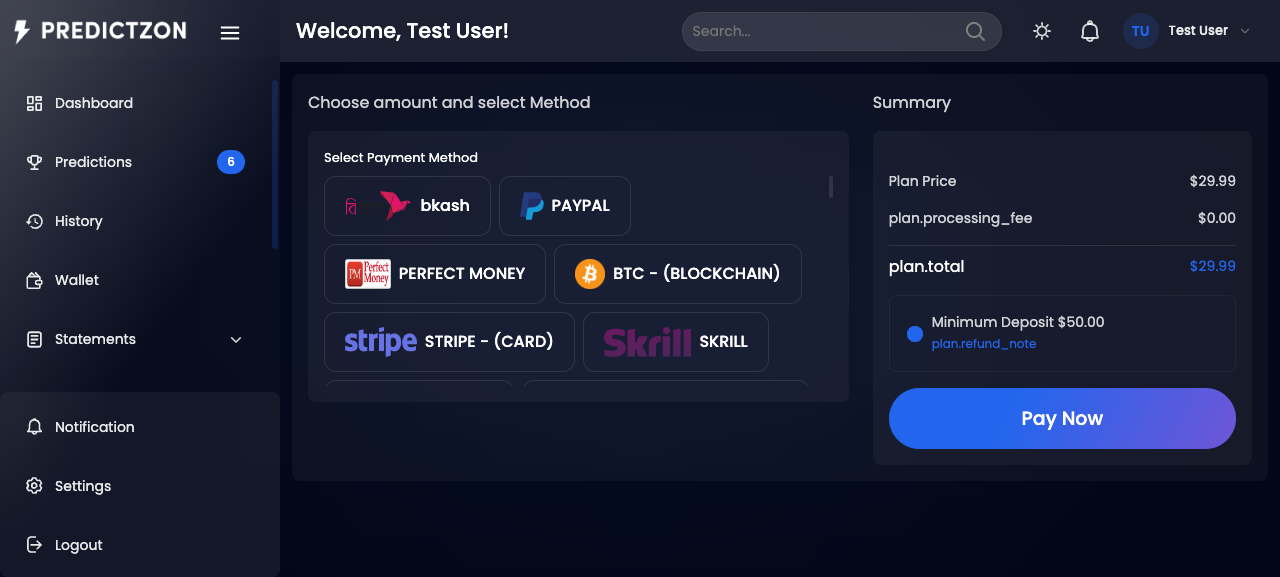
- Review the plan details and price
- Select a payment gateway
- Complete the payment
- Your plan is activated upon payment confirmation
Managing Your Subscription
Navigate to Settings → Subscription to manage your active plan:
| Action | Description |
|---|---|
| View Details | See plan name, status, and end date |
| Toggle Auto-Renew | Enable or disable automatic renewal |
| Upgrade | Switch to a higher-tier plan |
Current Plan Indicator
If you already have an active subscription:
- The plan card shows Current Plan instead of the CTA button
- Your dashboard displays your plan name and expiry date
- You can upgrade at any time
Tips
- Start with Free to try the platform before committing
- Compare features carefully before upgrading
- Enable auto-renew to avoid losing access
- Check sports coverage — higher tiers include more sports
Related Pages
- Account Settings — Manage subscription and auto-renew
- Live Predictions — View predictions included in your plan
- Wallet — Ensure sufficient balance for paid plans