Withdrawal Gateway
The Withdrawal Gateway module manages all withdrawal processing for your platform, including manual withdrawal methods, approval workflows, and transaction logs.
Accessing Withdrawal Gateway
- Log in to the admin panel at
https://your-domain/admin - Click Withdrawal Gateway in the sidebar under "Financial Settings"
- You will land on the Withdrawal Gateway hub page
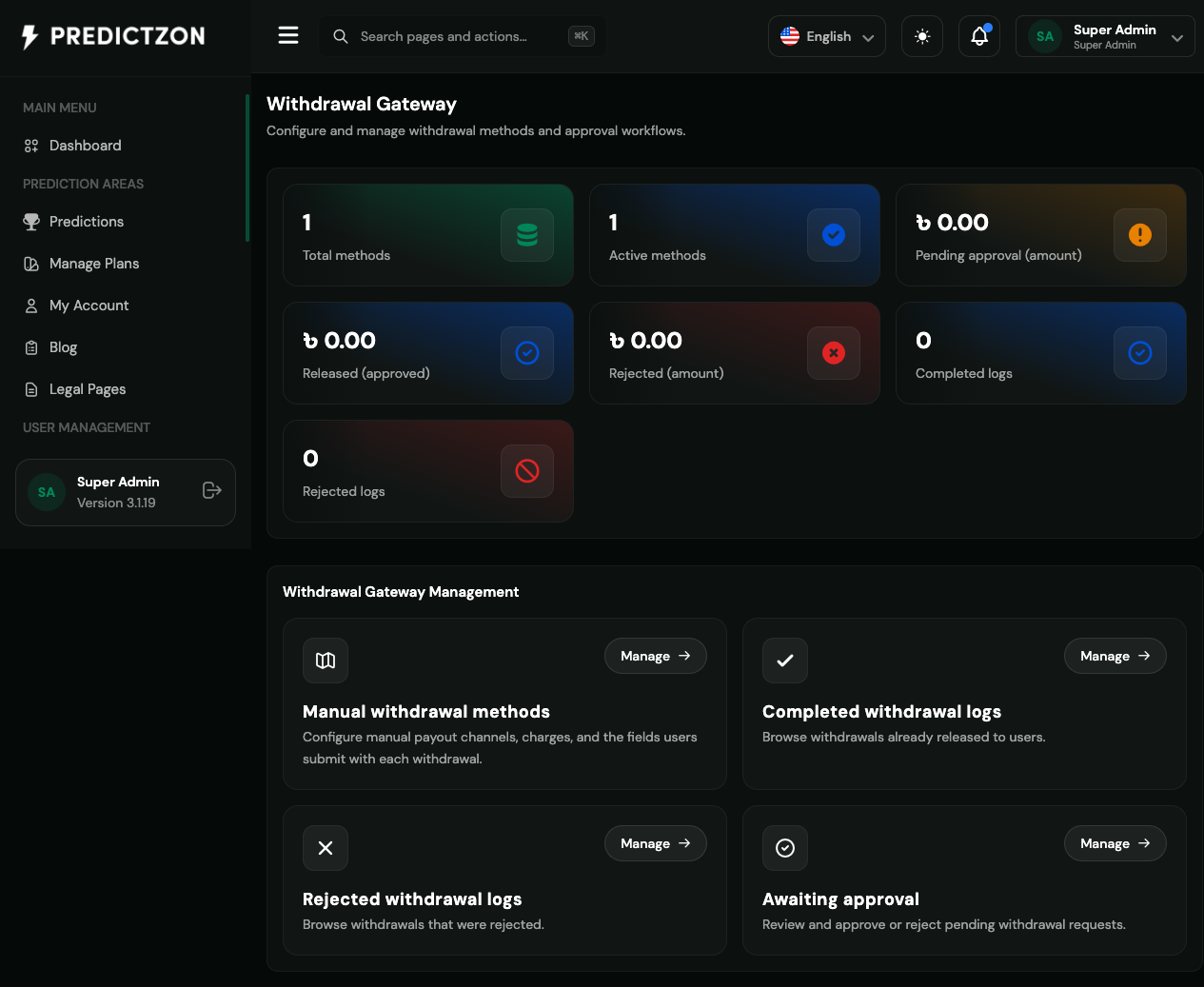
Withdrawal Gateway Overview
The hub page displays summary statistics and management modules:
Summary Statistics
| Metric | Description |
|---|---|
| Total Methods | All configured withdrawal methods |
| Active | Enabled withdrawal methods |
| Pending Amount | Total pending withdrawal amount |
| Released Amount | Total approved withdrawal amount |
| Rejected Amount | Total rejected withdrawal amount |
| Pending Count | Number of pending withdrawal requests |
| Complete Count | Number of approved withdrawals |
| Rejected Count | Number of rejected withdrawals |
Management Modules
| Module | Description |
|---|---|
| Withdrawal Methods | Configure available withdrawal methods |
| Awaiting Approval | Review pending withdrawal requests |
| Complete Logs | View approved withdrawal history |
| Rejected Logs | View rejected withdrawal history |
Withdrawal Methods
Navigate to Withdrawal Gateway → Methods to configure withdrawal options.
Creating a Withdrawal Method
- Click the Create Method button
- Fill in the details:
- Name — Display name (e.g., "Bank Transfer", "PayPal")
- Instructions — Withdrawal instructions for users
- Minimum Amount — Minimum withdrawal amount
- Maximum Amount — Maximum withdrawal amount
- Processing Fee — Fee charged per withdrawal
- Processing Time — Expected processing duration
- Currency — Supported currencies
- Logo — Method icon/image
- Status — Active or Inactive
- Click Save to create
Editing a Withdrawal Method
- Click the Edit button on the method row
- Modify the details
- Click Save to update
Awaiting Approval
Navigate to Withdrawal Gateway → Awaiting Approval to review pending requests.
Reviewing a Withdrawal
- Click on a pending withdrawal
- Review the details:
- User information
- Withdrawal amount
- Selected withdrawal method
- Account details provided
- Request timestamp
- Make a decision:
Approving a Withdrawal
- Click Approve
- Process the payment externally
- Confirm the approval
- User's wallet is debited
- User receives confirmation notification
Rejecting a Withdrawal
- Click Reject
- Enter rejection reason
- Confirm the rejection
- User's wallet is refunded
- User receives rejection notification
Transaction Logs
Complete Logs
View all approved withdrawals:
- Transaction ID
- User information
- Amount and currency
- Withdrawal method used
- Processing timestamp
Rejected Logs
View all rejected withdrawals:
- Transaction ID
- User information
- Rejection reason
- Timestamp
Withdrawal Workflow
The typical withdrawal workflow:
- User requests withdrawal — Enters amount and selects method
- System validates — Checks balance, limits, and 2FA
- Request queued — Added to pending withdrawals
- Admin reviews — Checks request details
- Payment processed — Admin sends payment externally
- Request approved — Wallet debited, user notified
- Transaction logged — Record added to withdrawal logs
Best Practices
- Review promptly — Process withdrawals within 24 hours
- Verify user identity — Ensure KYC is approved before large withdrawals
- Set appropriate limits — Configure min/max amounts for risk management
- Keep records — Maintain detailed logs of all transactions
- Communicate delays — Notify users of any processing delays
- Monitor patterns — Watch for unusual withdrawal patterns
Related Pages
- Payment Gateway — Manage deposit processing
- Financial Settings — Configure withdrawal limits
- Manage Users — View user withdrawal history
- KYC Verifications — Verify user identity before withdrawals