Telegram Connection
The Telegram Connection page lets you link your Telegram account to receive prediction signals and notifications directly in Telegram.
Accessing Telegram Connection
- Log in to your account
- Click Telegram in the sidebar
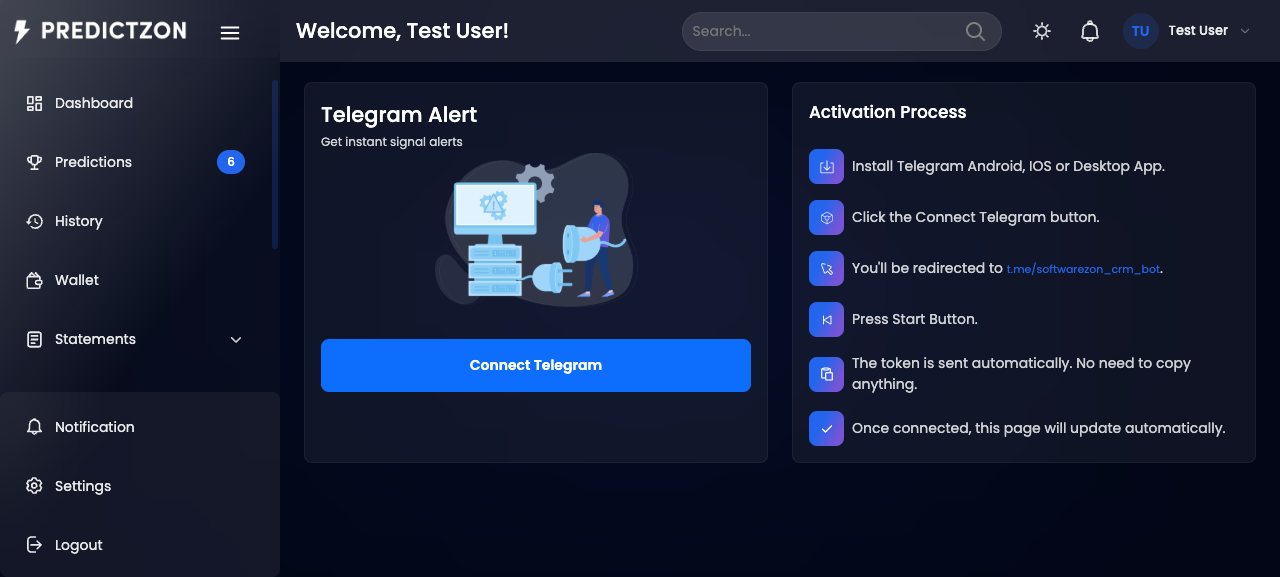
Connection Status
The page displays your current Telegram connection status:
| Status | Description |
|---|---|
| Connected | Your Telegram account is linked — signals are being delivered |
| Not Connected | No Telegram account linked yet |
Connecting Your Telegram Account
- Click Connect Telegram on the Telegram page
- A deep link is generated that opens Telegram with the bot
- Click the link or copy it to open Telegram
- Start a conversation with the bot by clicking Start
- The bot confirms the connection
- Return to the PredictZon dashboard — your status updates to Connected
Connection Flow
- Generate Link — The system creates a unique connection token
- Open Telegram — Click the deep link to open the bot in Telegram
- Start Bot — Click Start in the Telegram chat
- Webhook Confirms — The bot's webhook processes your
/startcommand - Status Updated — Your account is marked as connected with your chat ID
Disconnecting
- Click Disconnect on the Telegram page
- Confirm the disconnection
- Your Telegram chat ID is cleared
- Signals will no longer be delivered to Telegram
Connection Details
| Field | Description |
|---|---|
| Bot Username | The Telegram bot username (e.g., @YourBotName) |
| Connection Status | Connected or Not Connected |
| Chat ID | Your Telegram chat ID (shown when connected) |
Important Notes
- One account per Telegram — Each Telegram account can only be connected to one PredictZon account
- Reconnect after disconnect — You can reconnect at any time by following the connection flow again
- Required for Telegram signals — Some plans require Telegram connection before subscription
Tips
- Connect early — Set up Telegram before subscribing to a plan that delivers via Telegram
- Keep the bot started — Don't block the bot or it won't deliver signals
- Check connection — If signals stop arriving, verify your connection status
Related Pages
- Plans & Subscriptions — Some plans require Telegram connection
- Notifications — Manage notification delivery channels