Account Settings
The Account Settings page lets you manage your profile, password, subscription, sessions, activity log, and account termination. All settings are accessible from the Settings section in the sidebar.
Accessing Account Settings
- Log in to your account
- Click Settings in the sidebar
You will land on the Profile page by default.
Profile
Edit your personal information and avatar.
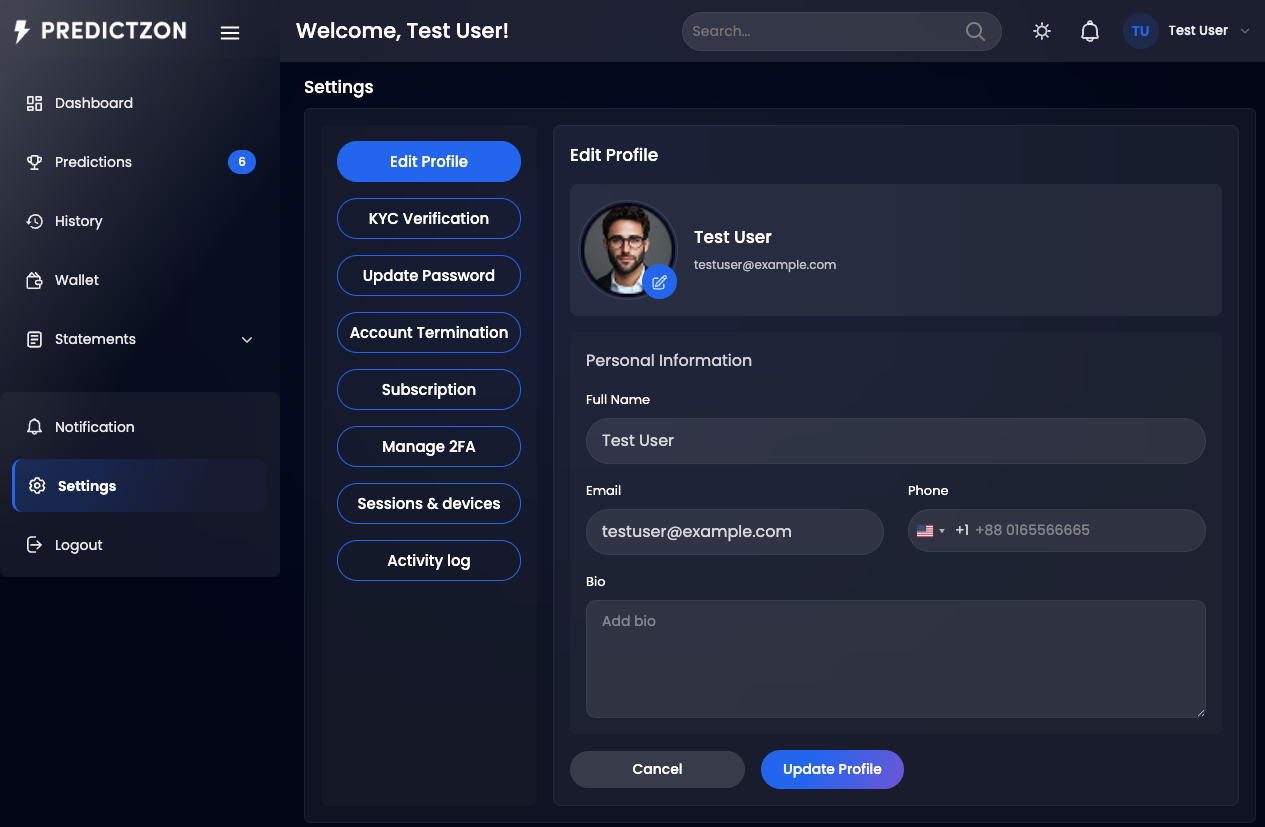
Profile Fields
| Field | Description |
|---|---|
| Name | Your display name |
| Your email address | |
| Phone | Your phone number |
| Bio | Short bio or description |
| Avatar | Profile picture (100x100 crop) |
Updating Your Profile
- Navigate to Settings → Profile
- Modify the fields you want to change
- Upload a new avatar image (optional)
- Click Save to update
Your activity is recorded when you save profile changes.
Password
Change your account password.
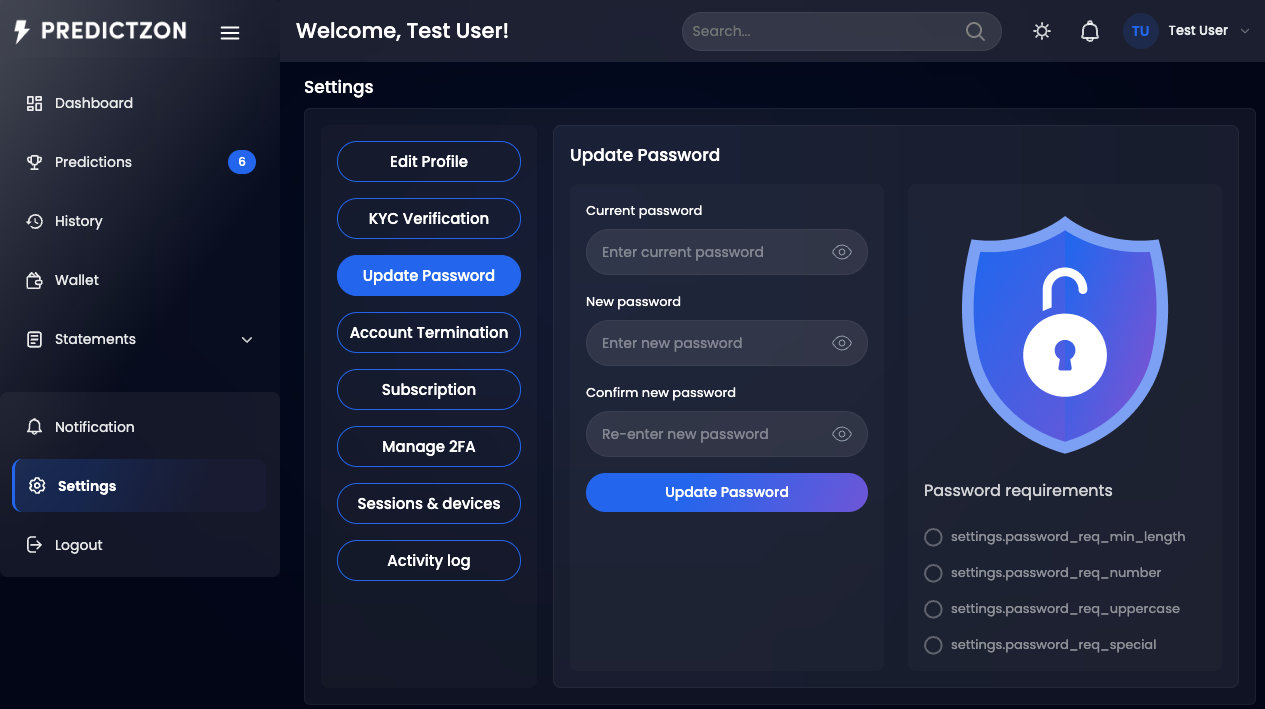
Password Fields
| Field | Description |
|---|---|
| Current Password | Your existing password (required) |
| New Password | Your new password |
| Confirm Password | Re-enter the new password |
Changing Your Password
- Navigate to Settings → Password
- Enter your current password
- Enter and confirm your new password
- Click Save to update
Note: Your activity is recorded when you change your password.
Subscription Management
View your current subscription details and manage auto-renewal.
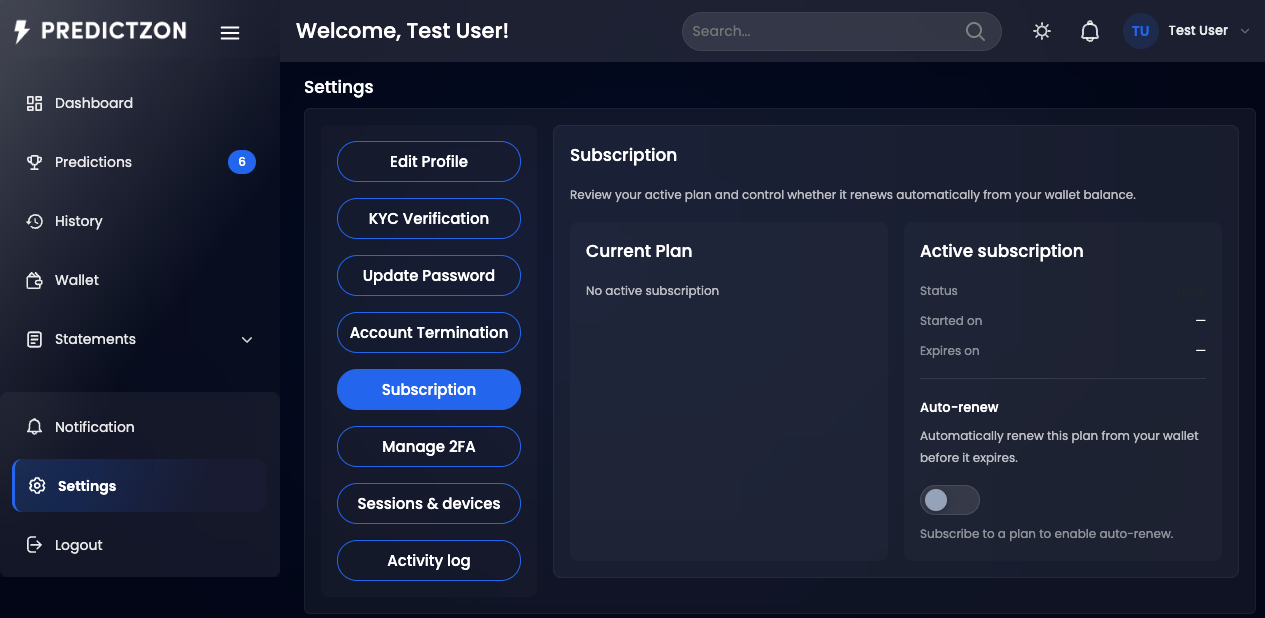
Subscription Details
| Field | Description |
|---|---|
| Plan Name | Your current subscription plan |
| Status | Active, Expired, or Cancelled |
| End Date | When your subscription expires |
| Auto-Renew | Whether the plan renews automatically |
| Wallet Balance | Your current balance (for auto-renew deductions) |
Managing Auto-Renew
- Navigate to Settings → Subscription
- Toggle the Auto-Renew switch
- Confirm the change
When auto-renew is enabled, your plan is automatically renewed using your wallet balance when it expires.
Sessions (Device History)
View and manage active sessions across devices.
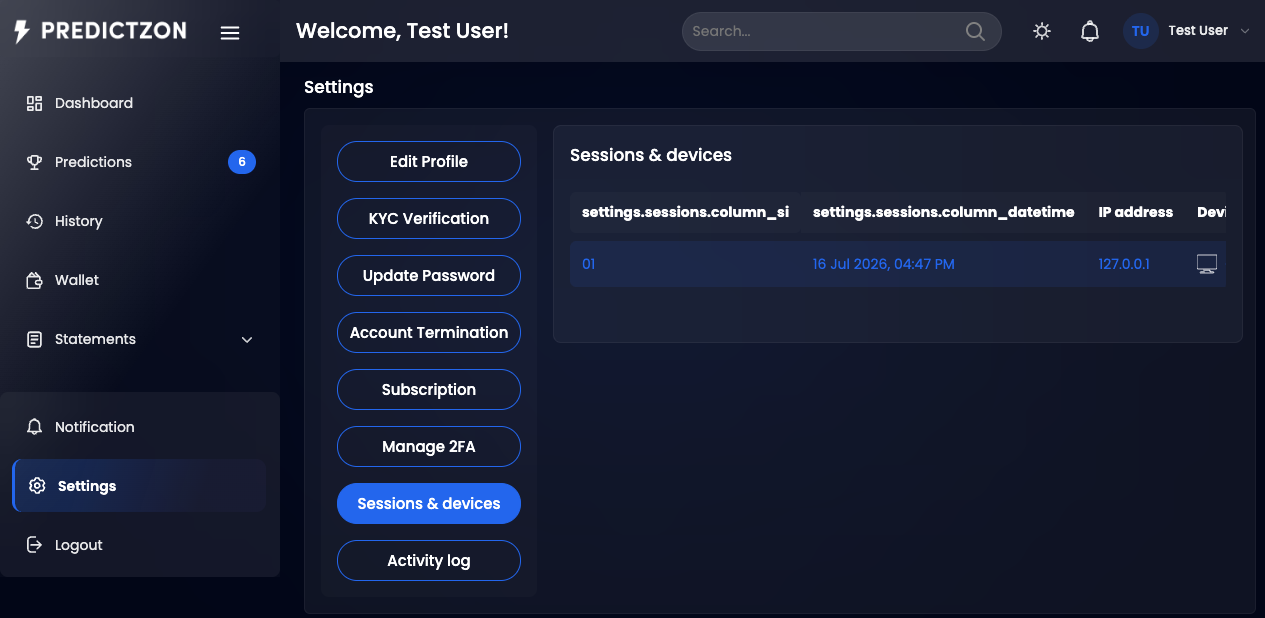
Session List
Each session shows:
| Field | Description |
|---|---|
| Device | Device type and browser |
| IP Address | Last known IP address |
| Last Active | When the session was last active |
| Current | Indicates your current session |
Revoking Sessions
- Navigate to Settings → Sessions
- Find the session you want to revoke
- Click Revoke next to the session
Warning: If you revoke your current session, you will be logged out immediately.
Activity Log
View a history of all account activities.
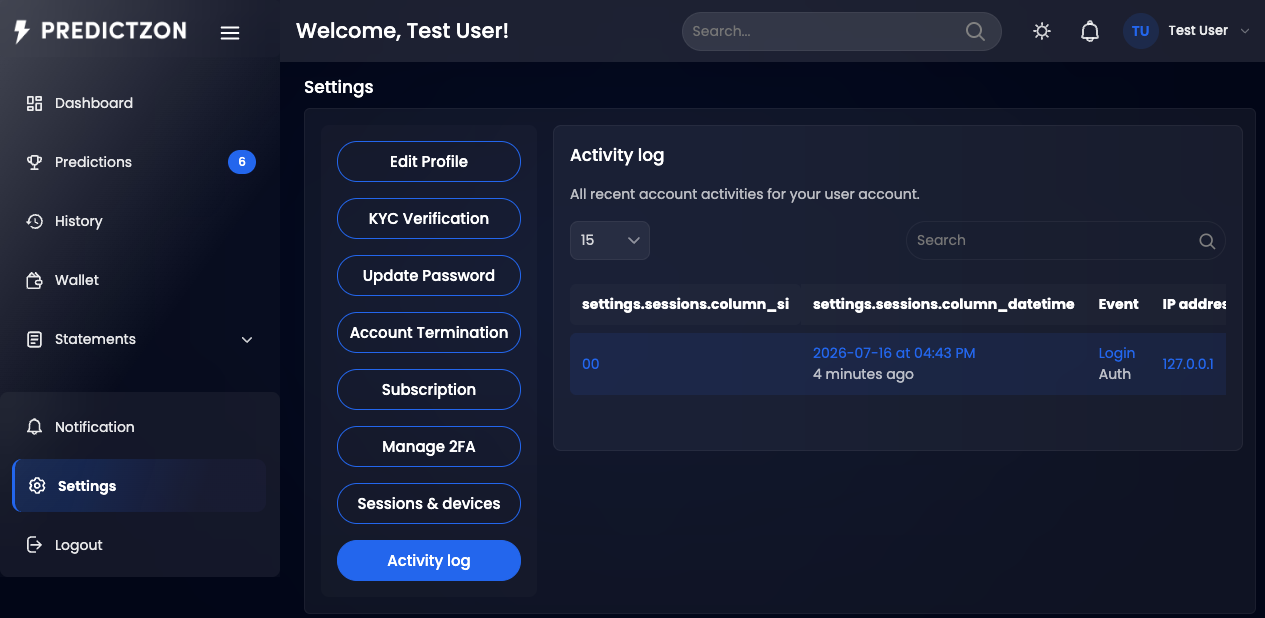
Activity Types
| Activity | Description |
|---|---|
| Profile Update | Changes to your profile information |
| Password Change | Password modifications |
| KYC Submission | Identity verification submissions |
| Subscription Change | Plan activations, upgrades, or cancellations |
| Login | Account login events |
Filtering Activities
| Filter | Description |
|---|---|
| Search | Search by activity description |
| Event | Filter by event type |
| Log Name | Filter by log category |
Account Termination
Request permanent deletion of your account.
Requesting Termination
- Navigate to Settings → Termination (if enabled by admin)
- Read the termination terms
- Enter a reason for termination
- Submit the request
Important Notes
- Admin approval required — Termination requests require admin review
- Pending requests — You can view and cancel pending termination requests
- Cannot be undone — Once approved, account deletion is permanent
- Superadmin protected — User ID 1 cannot be terminated
Tips
- Keep your profile updated — Ensure contact information is current
- Use a strong password — Combine letters, numbers, and symbols
- Review sessions regularly — Revoke any unrecognized sessions
- Enable 2FA — Add an extra layer of security to your account
Related Pages
- KYC Verification — Submit identity documents
- Two-Factor Auth — Set up additional security