My Account
The My Account section manages your admin profile, security settings, and account activity. This is where you control your personal admin account.
Accessing My Account
- Log in to the admin panel at
https://your-domain/admin - Click My Account in the sidebar
- You will land on the Edit Profile page
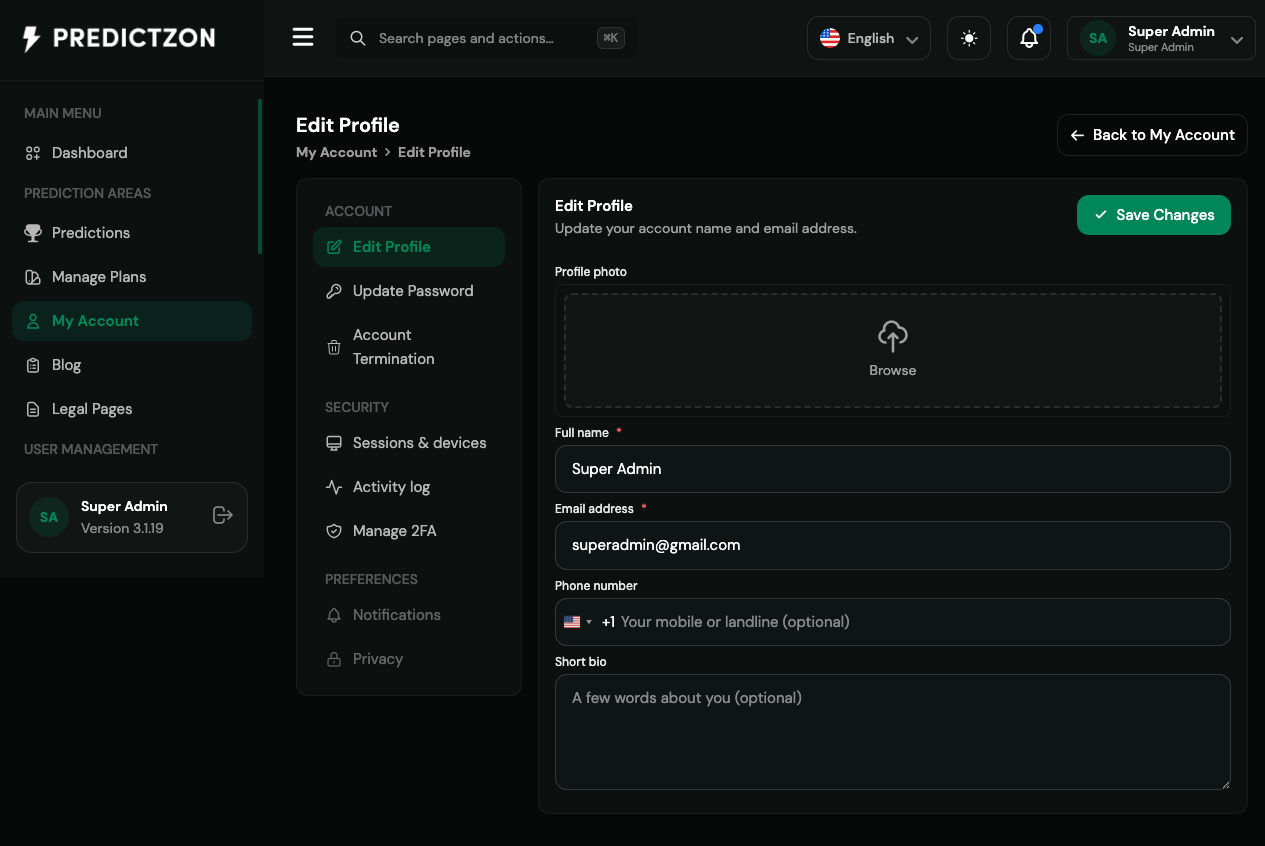
My Account Overview
The My Account section provides access to:
| Module | Description |
|---|---|
| Edit Profile | Update your profile information |
| Update Password | Change your account password |
| Two-Factor Authentication | Configure 2FA for your account |
| Active Sessions | Manage your login sessions |
| Activity Log | View your account activity history |
| Account Termination | Delete your admin account |
Edit Profile
Navigate to My Account → Edit Profile to update your information.
Profile Fields
| Field | Description |
|---|---|
| Name | Your display name (required) |
| Your email address (required, must be unique) | |
| Phone | Your phone number (optional) |
| Bio | Short biography (optional, max 1000 characters) |
| Avatar | Profile picture (click to upload) |
Updating Your Profile
- Modify the fields you want to change
- Click Save Changes
- Your profile is updated immediately
Note: Changing your email may require re-verification.
Update Password
Navigate to My Account → Update Password to change your password.
Password Requirements
| Requirement | Description |
|---|---|
| Current Password | Must enter current password to verify |
| New Password | Minimum 8 characters |
| Confirm Password | Must match new password |
Changing Your Password
- Enter your current password
- Enter your new password
- Confirm your new password
- Click Update Password
- Your password is changed immediately
Tip: Use a strong, unique password for your admin account.
Two-Factor Authentication
Navigate to My Account → Two-Factor Authentication to secure your account.
2FA Methods
| Method | Description |
|---|---|
| Google Authenticator | TOTP-based 2FA using authenticator app |
| Email OTP | One-time password sent via email |
| SMS OTP | One-time password sent via SMS |
Enabling Google Authenticator
- Click Enable next to Google Authenticator
- Scan the QR code with your authenticator app
- Enter the 6-digit code from your app
- Click Confirm
- Save your backup codes in a safe place
Enabling Email OTP
- Click Enable next to Email OTP
- Check your email for verification code
- Enter the code
- Click Confirm
Enabling SMS OTP
- Click Enable next to SMS OTP
- Enter your phone number
- Check your phone for verification code
- Enter the code
- Click Confirm
Disabling 2FA
- Click Disable next to the active method
- Confirm the action
- 2FA is disabled for your account
Warning: Disabling 2FA reduces your account security.
Active Sessions
Navigate to My Account → Active Sessions to manage your login sessions.
Sessions List
The sessions list shows:
| Column | Description |
|---|---|
| IP Address | IP address of the session |
| Device | Browser and device information |
| Last Activity | When the session was last active |
| Actions | Revoke session button |
Revoking a Session
- Find the session you want to revoke
- Click Revoke
- Confirm the action
- The user is logged out from that session
Tip: Revoke any sessions you don't recognize.
Activity Log
Navigate to My Account → Activity Log to view your account activity.
Activity Log Entries
The log shows:
| Column | Description |
|---|---|
| Event | Type of activity (e.g., "profile_updated") |
| Description | What happened |
| Section | Where it occurred |
| Timestamp | When it happened |
| IP Address | Where it happened from |
Filtering Activities
- Filter by event type
- Filter by date range
- Search by description
Account Termination
Navigate to My Account → Account Termination to delete your admin account.
Termination Process
- Click Request Account Termination
- Enter your password to confirm
- Confirm the termination request
- Your account is scheduled for deletion
Warning: Account termination is permanent and cannot be undone.
What Happens During Termination
- Your admin access is revoked
- Your profile is marked for deletion
- Your activity log is preserved
- Your sessions are revoked
- The account is deleted after the grace period
Best Practices
- Keep profile updated — Ensure contact information is current
- Use strong passwords — Change passwords regularly
- Enable 2FA — Protect your admin account with 2FA
- Monitor sessions — Review active sessions regularly
- Check activity log — Monitor for suspicious activity
- Secure backup codes — Store 2FA backup codes safely
Related Pages
- General Settings — Configure site-wide security settings
- Roles & Privileges — Understand your admin permissions
- Manage Users — Manage other admin accounts