User Panel/Withdrawals
Withdrawals
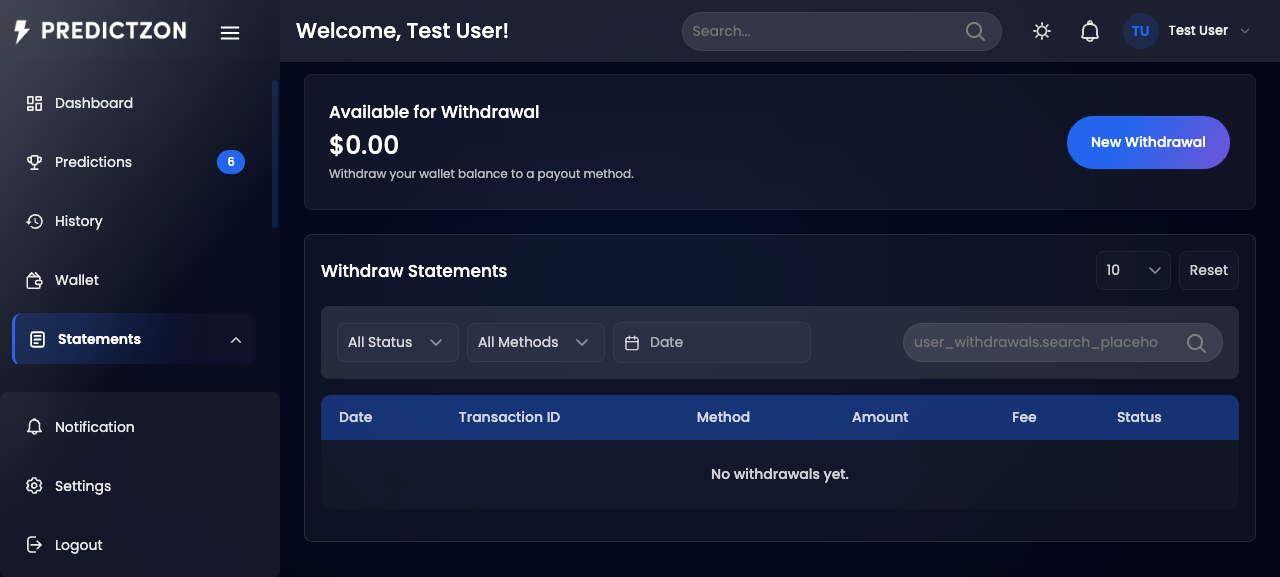
The Withdrawals page lets you withdraw funds from your wallet to your preferred payout method. View your withdrawal history and submit new withdrawal requests.
Accessing Withdrawals
- Log in to your account
- Click Statements → Withdraw in the sidebar
Withdrawal History
The withdrawal history page displays all past withdrawals in a table:
| Column | Description |
|---|
| Transaction # | Unique transaction identifier |
| Method | Withdrawal method used |
| Amount | Withdrawal amount |
| Status | Completed, Pending, or Rejected |
| Date | Withdrawal date |
Filtering Withdrawals
| Filter | Description |
|---|
| Search | Search by transaction number |
| Status | Filter by status (All, Completed, Pending, Rejected) |
| Method | Filter by withdrawal method |
| Date Range | Filter by date range |
Making a Withdrawal
- Click Withdraw Funds on the dashboard, or navigate to Statements → Withdraw and click New Withdrawal
- You will see the withdrawal creation form
| Field | Description |
|---|
| Wallet Balance | Your current available balance |
| Amount | Enter the withdrawal amount |
| Withdrawal Method | Select an active withdrawal method |
Dynamic Payout Fields
When you select a withdrawal method, additional fields appear based on the method configuration. Common fields include:
| Field | Description |
|---|
| Account Number | Your account number for the payout |
| Account Name | Name on the account |
| Bank Name | Bank or financial institution |
| Routing Number | Bank routing number (if applicable) |
Processing Charges
The form displays an estimated processing fee based on the selected method:
| Charge Type | Calculation |
|---|
| Flat | Fixed fee deducted from the amount |
| Percentage | Percentage of the withdrawal amount |
Submitting the Withdrawal
- Enter the withdrawal amount
- Select a withdrawal method
- Fill in the required payout fields
- Click Submit Withdrawal
- The amount is deducted from your wallet immediately
- Your request enters Pending status for admin approval
Withdrawal Statuses
| Status | Description |
|---|
| Completed | Withdrawal processed and funds sent |
| Pending | Request submitted, awaiting admin approval |
| Rejected | Request denied — funds are returned to your wallet |
Important Notes
- Minimum withdrawal may apply based on the method configuration
- Sufficient balance is required — the form validates your wallet balance
- Processing time varies by method and admin review
- Rejected withdrawals are automatically refunded to your wallet
Tips
- Check processing fees before submitting
- Ensure payout details are correct — incorrect details may cause delays
- Allow 24-48 hours for admin review of withdrawal requests
Related Pages
- Wallet — View your balance and all transactions
- Deposits — Add funds to your wallet