KYC Verification
The KYC (Know Your Customer) page lets you submit identity documents for verification. Some platform features may require verified identity before you can access them.
Accessing KYC Verification
- Log in to your account
- Navigate to Settings → KYC
KYC Status
The page displays your current verification status:
| Status | Description |
|---|---|
| Not Submitted | No KYC documents submitted yet |
| Pending | Documents submitted, awaiting review |
| Approved | Identity verified successfully |
| Rejected | Verification failed — resubmission required |
Manual Verification
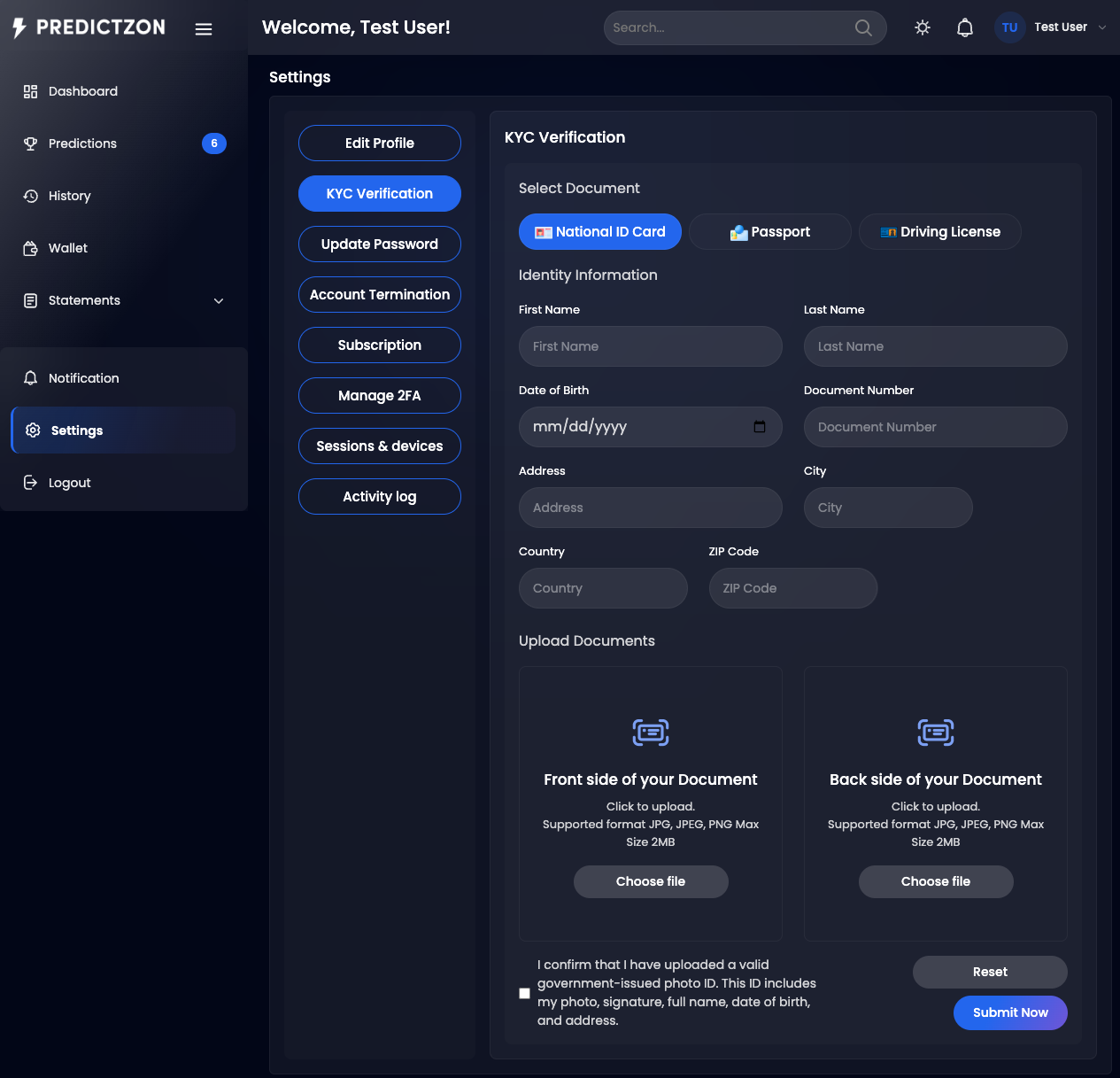
For manual KYC, you upload document images and fill in personal details.
Required Information
| Field | Description |
|---|---|
| Full Name | Your legal full name |
| Date of Birth | Your date of birth |
| Document Number | ID card, passport, or driver's license number |
| Address | Your current address |
| Front Document | Photo of the front of your ID document |
| Back Document | Photo of the back of your ID document (if applicable) |
Submitting Manual KYC
- Navigate to Settings → KYC
- Fill in your personal details
- Upload a photo of the front of your document
- Upload a photo of the back of your document (if required)
- Click Submit
- Your submission enters Pending status for admin review
Automated Verification
If automated KYC is enabled, you can verify through an external provider.
Automated Flow
- Click Start Verification on the KYC page
- You are redirected to the external verification provider
- Follow the on-screen instructions to submit your documents
- The provider processes your verification
- Results are sent back to the platform
- Your KYC status updates automatically
Document Requirements
| Requirement | Details |
|---|---|
| Format | JPG, PNG, or PDF |
| File Size | Maximum 5MB per image |
| Clarity | All text must be readable |
| Completeness | All four corners of the document must be visible |
| Validity | Document must not be expired |
Tips
- Use high-quality images — Blurry photos may cause rejection
- Match your details — Name on document must match your account name
- Check expiry — Expired documents are automatically rejected
- Be patient — Manual verification may take 24-48 hours
Related Pages
- Account Settings — Manage your profile and security
- Two-Factor Auth — Additional account security